TotalAV - Best for Ease of Use (Super Beginner-Friendly)

TotalAV has an excellent antivirus scanner and a couple of really good extras, all inside a very intuitive dashboard — making it a great choice for beginners. However, TotalAV also includes many customization options that advanced users will appreciate.
Pros
- Great real-time protection
- Extensive system optimization tools
- Fast unlimited-data VPN
- Secure password manager
Cons
- No firewall
- Frequent upsells
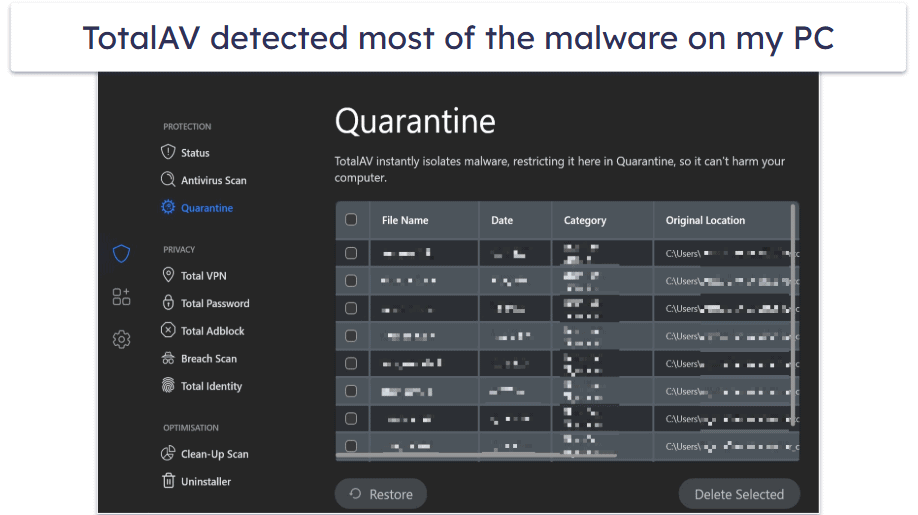
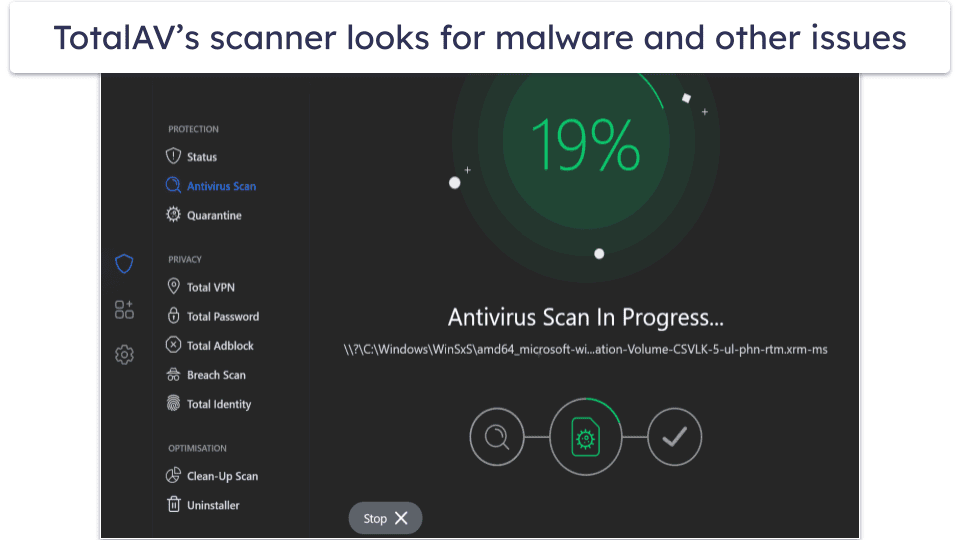
TotalAV’s antivirus scanner is fast and reliable, with near perfect malware detection rates. The scanner caught most of my test malware, from viruses and trojans to ransomware. Similar to Bitdefender, it didn’t have much of an impact on my system performance while running a scan, but it also means that it takes a bit longer than the slightly more resource-heavy Norton. That said, it produced considerably more false flags than Norton and Bitdefender.
TotalAV’s WebShield stops you from visiting dangerous websites. During my tests, it blocked the majority of phishing websites I tried to visit. You also get access to Total Browser, a secure browser that blocks ads and dangerous sites. It even lets you know if a page you’re visiting was ever involved in a data breach.
Furthermore, TotalAV simplifies routine maintenance tasks by combining them into 1 scan. This includes an antivirus scan, tracking cookie scan, and disk cleanup. I appreciate the amount of time this saves.
I particularly like TotalAV’s performance optimizer. Full virus scans will automatically check for junk to clean and settings to fix, but you can also scan exclusively for performance issues. It cleaned up more space on my computer than most other competitors.
TotalAV’s VPN is reliable for everyday tasks that require connection to local servers. It’s secure, works with popular streaming sites, and maintains decent speeds, but connecting to distant servers significantly reduced my internet speed.
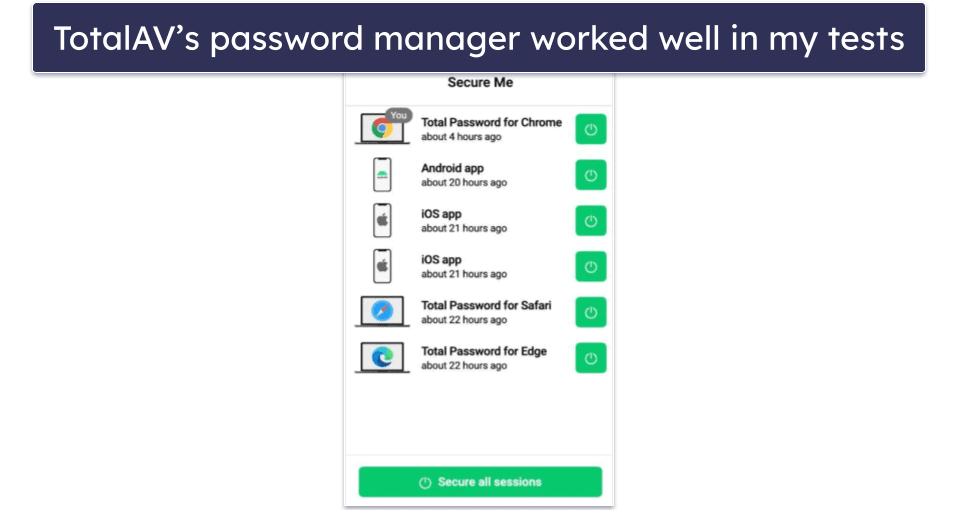
The password manager is pretty good. Total Password can safely store your passwords and other sensitive information in an encrypted space. You get all of the standard features, like auto-saving and auto-filling, a customizable password generator, cross-device synchronization, and more. It performed really well in my tests, with my only complaint being that it lacks password sharing. That said, it does include some pretty unique features like Secure Me — a tool that lets you remotely log out of accounts on all devices.
TotalAV is compatible with all major devices and operating systems, including Chromebooks. I like how it’s one of the few antiviruses that works with Kindle Fire tablets. The only downside is that I couldn’t find information on internal security audits like I could with Norton or Bitdefender. However, it does regulate your data under the GDPR, so that’s one benefit.
My favorite plan is TotalAV Total Security, which covers up to 8 devices and costs $49.00 / year. I like that it includes a VPN, premium password manager, and excellent ad blocker alongside all the other features mentioned above. If you’re on a budget, TotalAV Premium is a good entry-level package for users looking to protect up to 3 devices, and it costs $19.00 / year. All plans come with a 30-day money-back guarantee.
Save 80% on TotalAV Premium!
You can save 80% if you act right now.
Bottom Line:
TotalAV has a powerful antivirus engine and a good range of features inside a user-friendly dashboard — I recommend TotalAV for first-time users just needing something safe, secure, and easy to use. TotalAV’s packages all have a wide range of features, and they’re all designed for maximum ease of use. Plus, all TotalAV purchases have a 30-day money-back guarantee.
Getting started with TotalAV
To gauge how friendly TotalAV is for everyday users, I used the same Total Security plan as in my other trials. That way I could assess its feature set and day-to-day usability on equal footing. The first touchpoint I examined was installation, since it shapes a customer’s very first impression of any digital product.
TotalAV installation
Installing TotalAV is simple on every major device and operating system. If you’ve ever set up an app before, the flow will feel familiar: head to TotalAV’s website, grab the installer, and follow the prompts. Afterward, sign in to your account and switch on the protections you need. One note: if all licenses are already in use, you’ll have to reassign one in the account portal, and the desktop app may take a little time to reflect that change.
My experience using TotalAV
The apps are straightforward to navigate across Windows, macOS, Android, and iOS. I’m partial to the Windows build because it exposes the most tools, but each platform uses a tidy layout and clear labels. Most features include a short description so you know exactly what they do.
On desktop, the interface keeps things organized whether you’re on Windows or Mac. It uses the space well without feeling crowded, and groups related options logically, so it’s easy to jump to the setting you want.
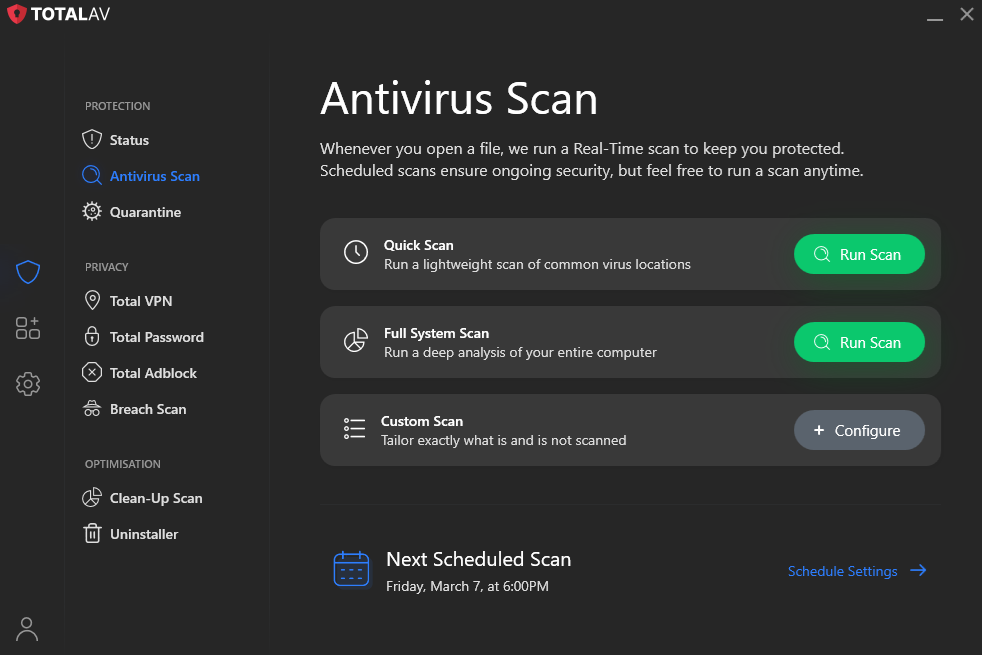
Upon launch, you’re greeted by three primary sections on the dashboard:
- Protection
- Privacy
- Optimization
These cover the core jobs of an antivirus. A quick scan takes only a couple of clicks, and the left-hand sidebar puts frequently used tools within easy reach.
WebShield, the browser component, has a slightly steeper learning curve. The extension feels less intuitive than the main app at first, but after a short adjustment period I could locate everything I needed.
TotalAV mobile apps
TotalAV ships dedicated apps for Android and iOS. I tested both to compare the experience and confirm that the protections line up across platforms.
TotalAV for Android
Setup on Android was quick — download, sign in, and the full security suite is available. The app mirrors desktop with antivirus scans, real-time protection, and an App Lock for extra privacy. The clean home screen surfaces key actions, making navigation effortless.
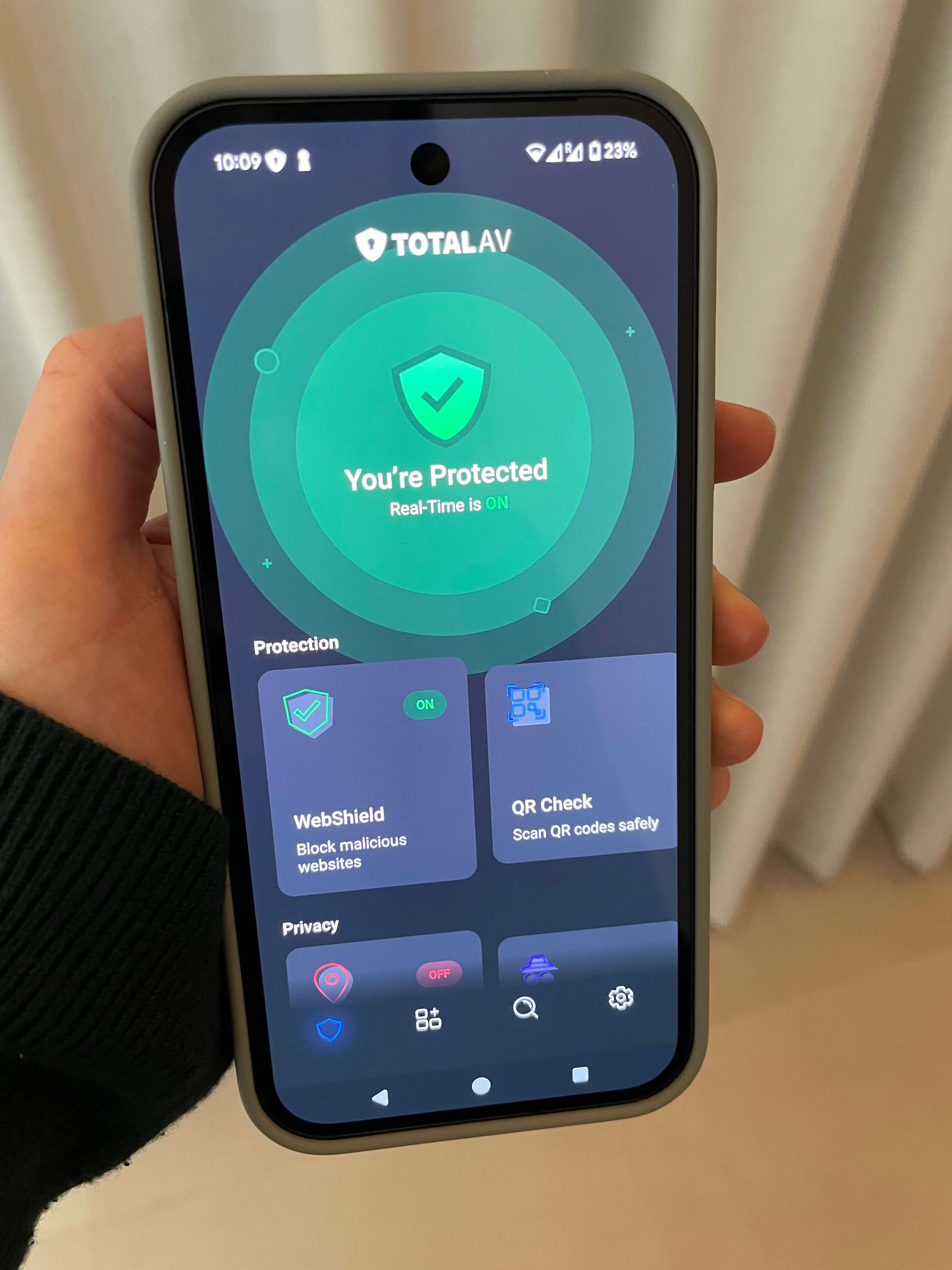
You can keep using your phone during scans without noticeable lag. That said, some competing mobile suites pack in more features at a lower price point.
TotalAV for iPhone
iOS is a special case because the platform requires less traditional antivirus scanning than other systems.
True iPhone and iPad malware is uncommon, so iOS security apps tend to focus on protective extras that add value for users.
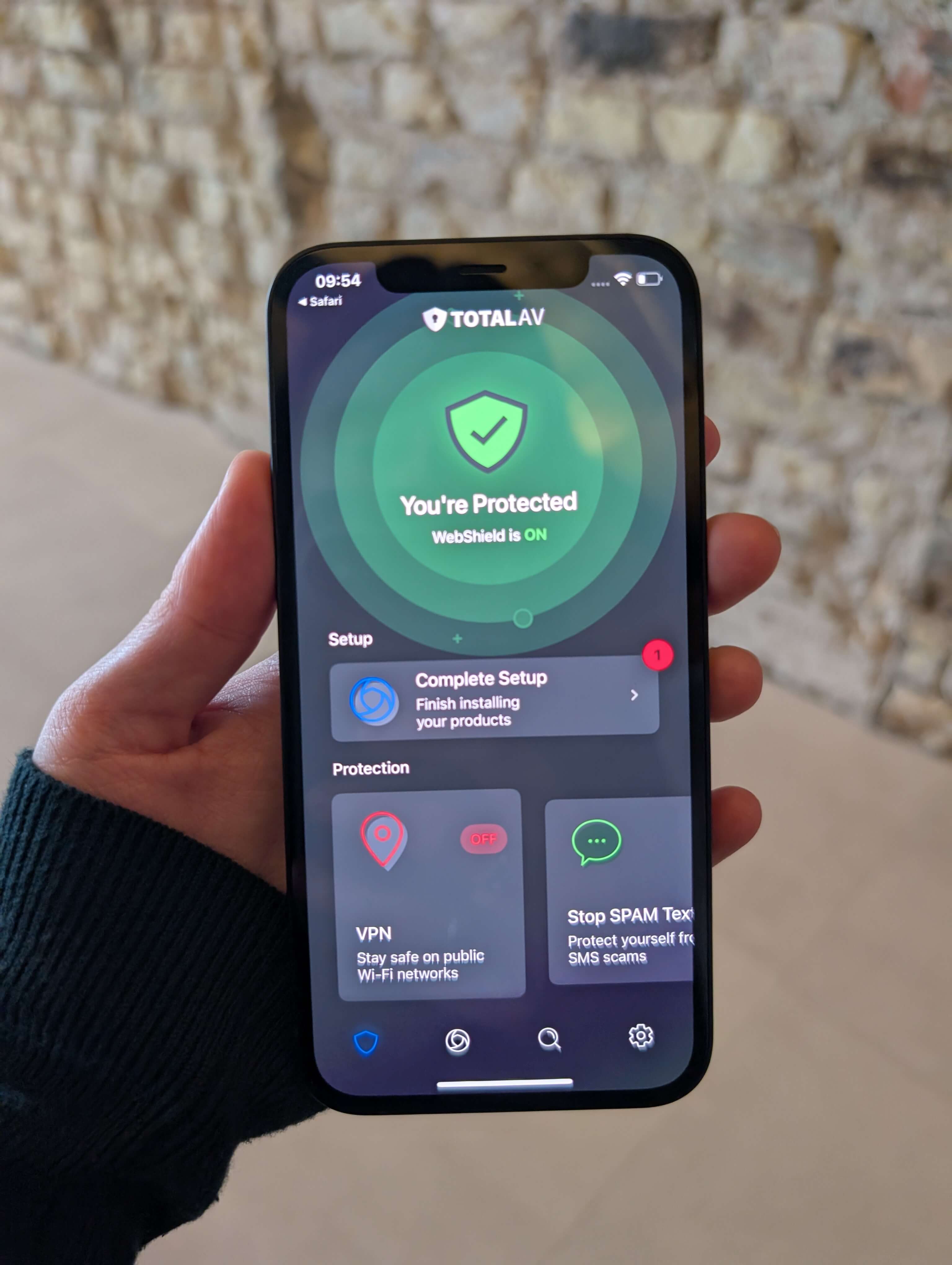
There’s no on-device virus scan like on Android, as iOS relies on built-in safeguards against classic viruses.
Overall, the iOS app complements Apple’s defenses with useful add-ons that round out protection.
In-house TotalAV antivirus testing results
Our Cybernews team ran focused performance checks covering malware detection, ransomware defenses, and phishing protection. Each attack vector was tested separately to see where TotalAV shines and where it can improve. For realism, we used threat samples from sources such as phishtank.com and urlhaus.abuse.ch.
All tests were conducted on a Windows Server 2022 system with an Intel Xeon 8259CL and 32GB RAM.
Remember, internal results are just one data point. Independent lab reports and customer feedback matter too — and the best choice ultimately depends on what you need most.
Malware detection test
Since stopping malware is the core mission of any antivirus, we put this capability under the microscope.
We placed 150 malware samples on the test machine and ran a full system scan with TotalAV, tracking CPU usage to see how hard the scan taxed the device.
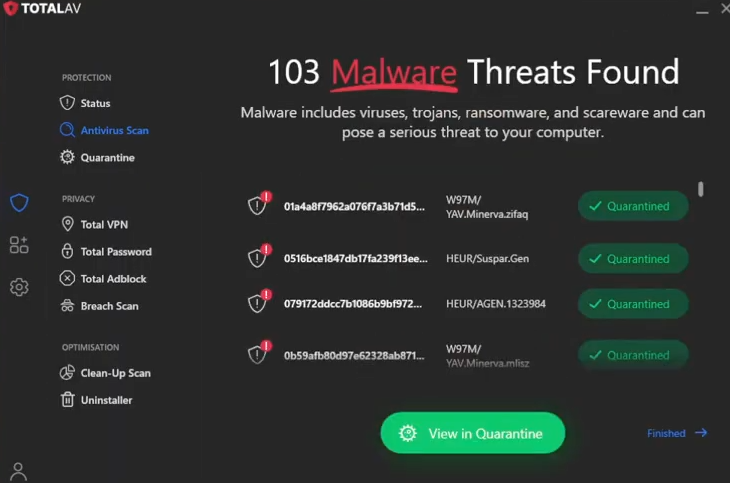
The scan detected 103 out of 150 samples — a solid showing. CPU load hovered between 60% and 75% during the run, which is manageable and still allows light multitasking.
Ransomware test
We followed a similar approach for ransomware, seeding 10 samples onto the host. We also evaluated real-time protection in a controlled setting, since the best outcome is blocking ransomware before it executes.
Quick scans took 3 minutes and found 9 of 10 samples, with CPU usage between 70% and 85% — on the higher side. A full scan lasted 25 minutes and caught all 10 files.
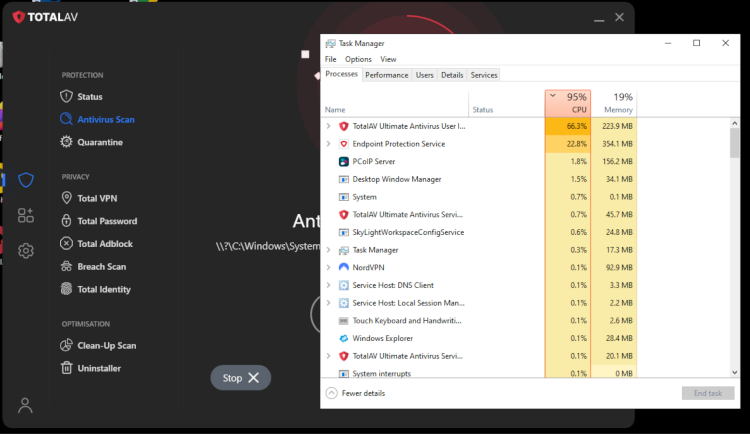
Real-time protection performed excellently, detecting every one of the 10 ransomware attempts and stopping them pre-execution. Based on this, TotalAV provides strong ransomware defense.
Phishing test
For anti-phishing, we used WebShield (the Chrome extension). We installed it and visited a mix of malicious and phishing URLs to see how consistently it would intervene. The team evaluated generic malicious domains and targeted phishing links separately.
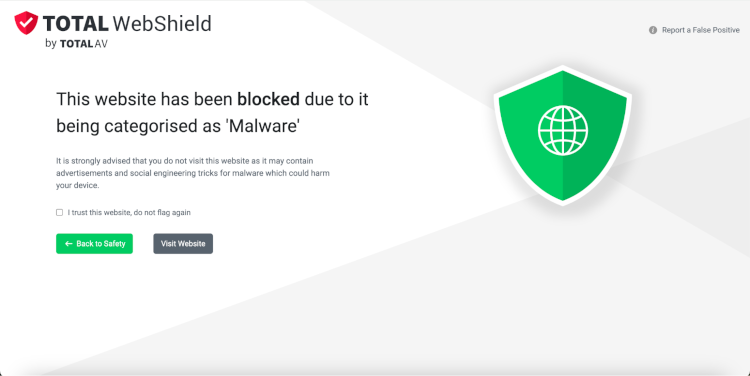
WebShield blocked 7 out of 10 malicious sites, which is decent. On pure phishing links, results were weaker at 3 out of 10. While that’s not ideal, careful browsing habits still go a long way toward avoiding phishing traps.