Avira Prime - Best for System Optimization

Avira’s threat engine is exceptionally capable, repeatedly hitting a 100% detection rate in my evaluations. Its core technology is reliable enough that other vendors — including TotalAV — license it. Cross-platform coverage is broad and even includes ChromeOS.
Highlights
- Top-tier malware catch rates
- Powerful tune-up utilities
- Game Booster for smoother play
Drawbacks
- VPN capped at 1 GB/month on most tiers
- No built-in parental controls
Prime bundles a rich set of extras that go beyond basic antivirus:
- Privacy optimization.
- System optimization.
- VPN.
- Password manager.
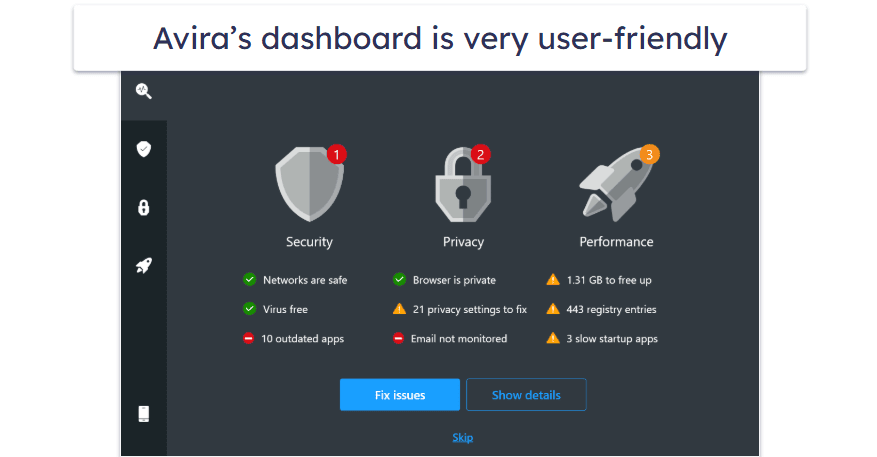
Avira’s performance tools are among the strongest you’ll find bundled with security software. While many suites offer basic cleanup, Avira’s toolkit feels more comprehensive and practical in day-to-day use, including:
- Startup optimizer. Cut my PC’s boot time by roughly 2 minutes.
- Game booster. Dynamically reallocates resources and pauses background tasks to improve responsiveness.
- Junk file cleaner. Clears duplicates, leftover files, and select caches to reclaim space.
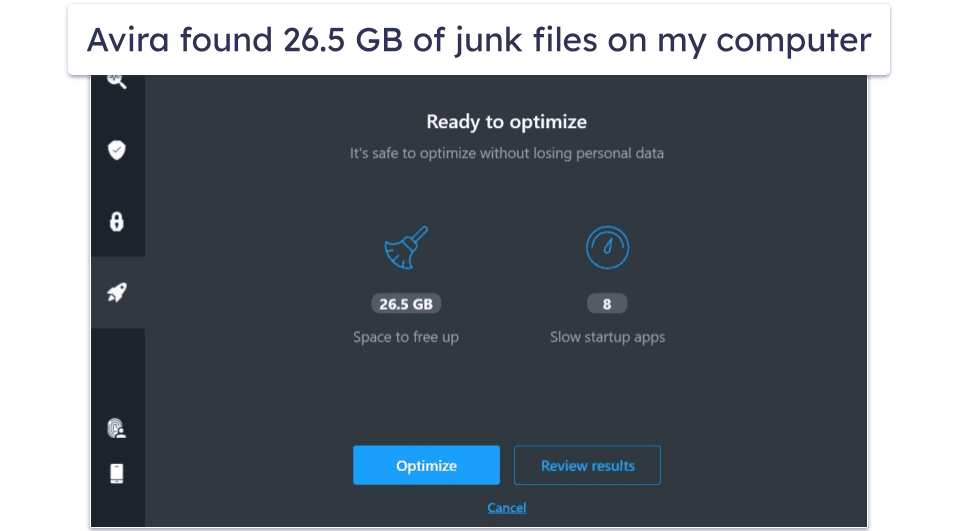
Prime is an easy recommendation for aging or storage-constrained machines. The one-click optimizer consistently removed more clutter in my trials than many rivals, and Game Booster delivered a noticeable uplift. You also get a duplicate finder, streamlined driver updates, and more. Because Avira’s scanning is cloud-based, it stays light on system resources.
Priced at $59.99 / year, Prime offers solid value, though some competitors undercut it. More affordable options exist — for example, Internet Security at $34.99 / year — but Prime is the only tier that unlocks the advanced optimizers, an unlimited-data VPN, and the premium mobile apps.
The free edition is also impressive for zero-cost protection. Avira Free includes real-time and ransomware defenses, plus a limited VPN — a strong baseline if you’re not ready to upgrade.
Bottom Line:
Avira combines a lightweight cloud scanner with standout optimization tools, then rounds it out with a VPN, password manager, and multi-device support (up to 5). If you want a security suite that can also speed up an older PC, Avira is a smart pick — and the 60-day money-back guarantee lets you try it without risk.
Is Avira Antivirus safe?
Yes — Avira is a trustworthy choice that delivers strong defense against malware and a wide range of online risks. Since its early days in the security space, it’s built a reputation for reliability and robust protection.
To ground that reputation, let’s look at what independent testing labs report about Avira’s performance under professional scrutiny.
Recent evaluations awarded Avira 6/6 for protection, performance, and usability, underscoring consistent all-around effectiveness. Similar top marks have appeared across multiple prior test cycles as well.

AV-Comparatives reached comparable conclusions in its September 2023 assessments, with Avira scoring impressively across categories and earning the Advanced+ distinction.

SE Labs also examined Avira Free Security Suite in Q2 2023 and placed it among the most accurate products, assigning a 97% total accuracy rating.

Taken together, these results suggest Avira is well equipped to block both zero-day and known threats. We also verified this with our own trials.
In our in-house checks, we challenged Avira with 10 malicious samples. Our January 2024 run produced a 70% block/removal rate — lower than lab findings. We consider this an outlier rather than the norm, and it shouldn’t discourage most users from testing Avira themselves.
Antivirus scanner
Avira offers three main scanning modes: full, quick, and smart.
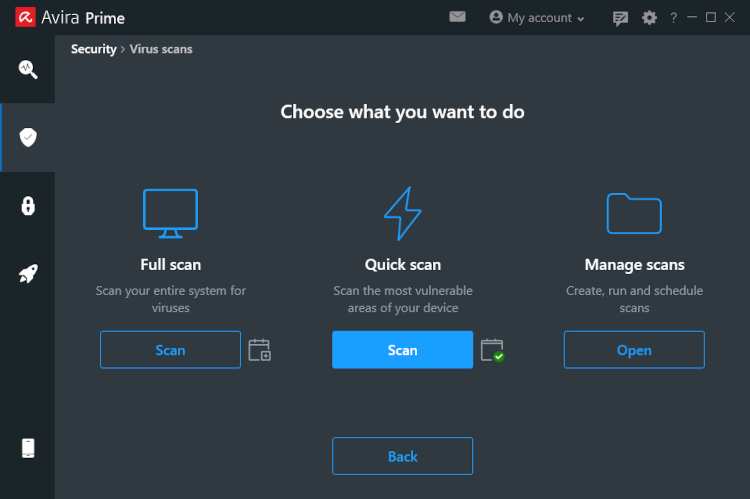
- Quick scan – checks common hotspots where threats typically hide. As with most suites, it’s not the most comprehensive option. In our runs, it finished in under a minute and didn’t flag our seeded samples.
- Full scan – sweeps the entire system and is the most reliable way to catch malware. Ours took about 6 minutes to process ~200k files and caught 70% of samples. CPU usage fluctuated roughly between 54% and 92% during the task.
- Smart scan – audits privacy settings, performance issues, malware, outdated apps, and network risks. Our test completed in 2m 13s. It didn’t detect malware but surfaced 4 outdated apps, 20 privacy tweaks, 15 cookie items, and ~1 GB of junk to clean.
Use the Manage scans section to review history or build scheduled, targeted scans. Pick the folders you care about and set daily, weekly, or monthly intervals.
In practice, rotating between the modes works well. We suggest running full scans regularly for maximum coverage, with smart scans for quick hygiene and tune-ups.
Real-time protection
Every Avira edition includes always-on protection.
This shield monitors files as you open, copy, or modify them, blocking anything suspicious before it can make changes. You’ll receive an alert if a file is quarantined or denied access.
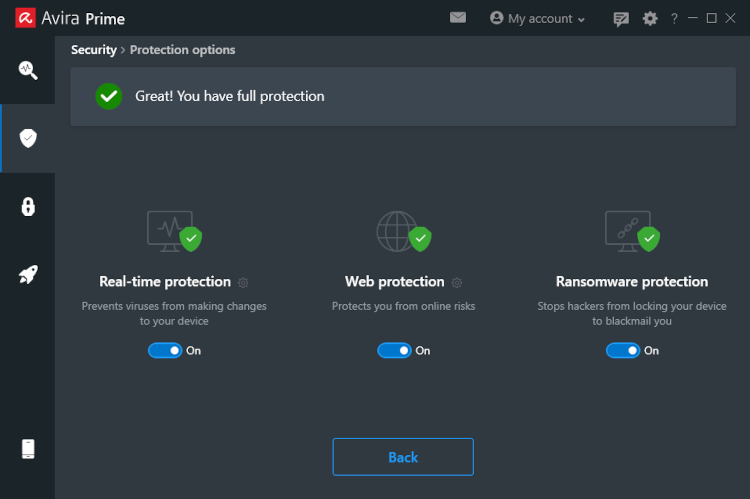
Paid plans unlock extra defenses in the Security panel. Highlights include:
- Web protection to filter phishing pages, spam, and browser hijackers
- Email protection to scan attachments and links for hidden threats
- Ransomware protection using both behavior and signature analysis
Quarantine
When Avira flags a risky file, it encrypts and isolates it in quarantine so it can’t run or spread.
You can permanently remove items from this folder at any time. Otherwise, Avira will retain them safely in isolation.
If you’re certain something was misidentified, you can restore it and add it to exclusions so future scans leave it alone.
Software updater
Avira’s Software Updater is a premium tool.
It scans for outdated apps and OS components and suggests (or applies, on paid tiers) fixes. Even on the free suite, you’ll see alerts about risky versions — but automatic updating requires a paid plan.
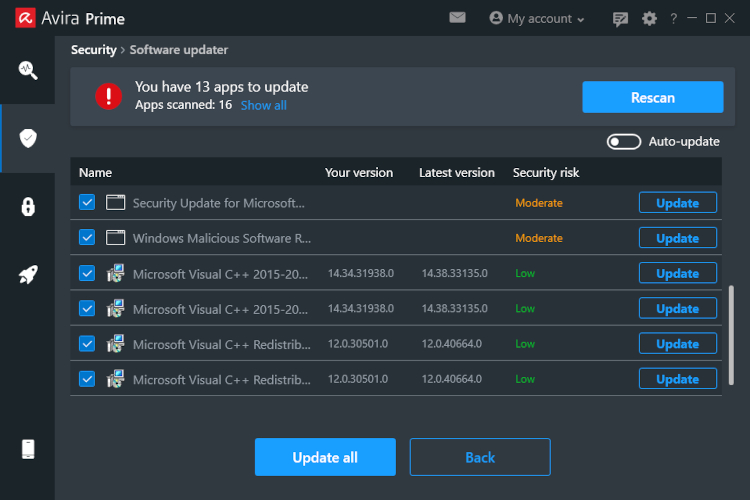
Staying current closes known vulnerabilities, which is a simple, high-impact way to reduce your attack surface.
Firewall
Premium Avira plans include a firewall feature. Earlier iterations mainly surfaced controls for the system firewall; today it functions as an added layer alongside your OS protections.
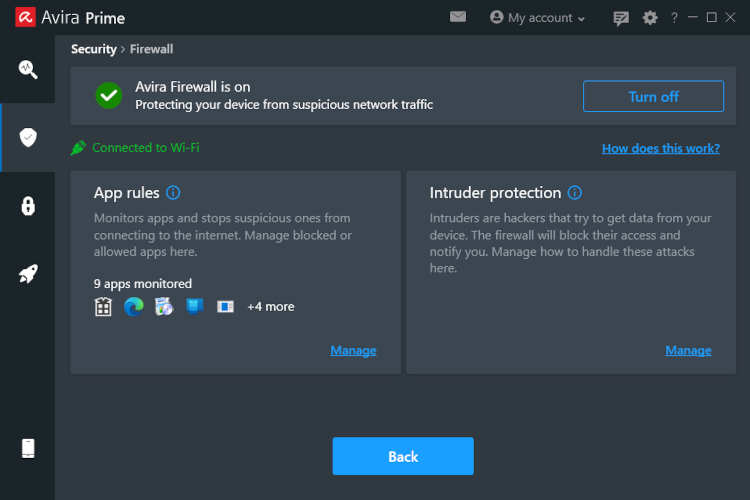
It’s intentionally minimal — a useful safety net if the default firewall misses something — but advanced tuning options are limited. The interface may feel a bit opaque for first-time users.